Accounts can now build, customize, and distribute fully branded desktop applications tailored to their customers' needs. The White-Label Desktop App delivers a faster, more seamless experience with improved responsiveness, smoother workflows, and greater overall efficiency — available across macOS, Windows, and Linux.
Introducing the
Desktop App Customizer
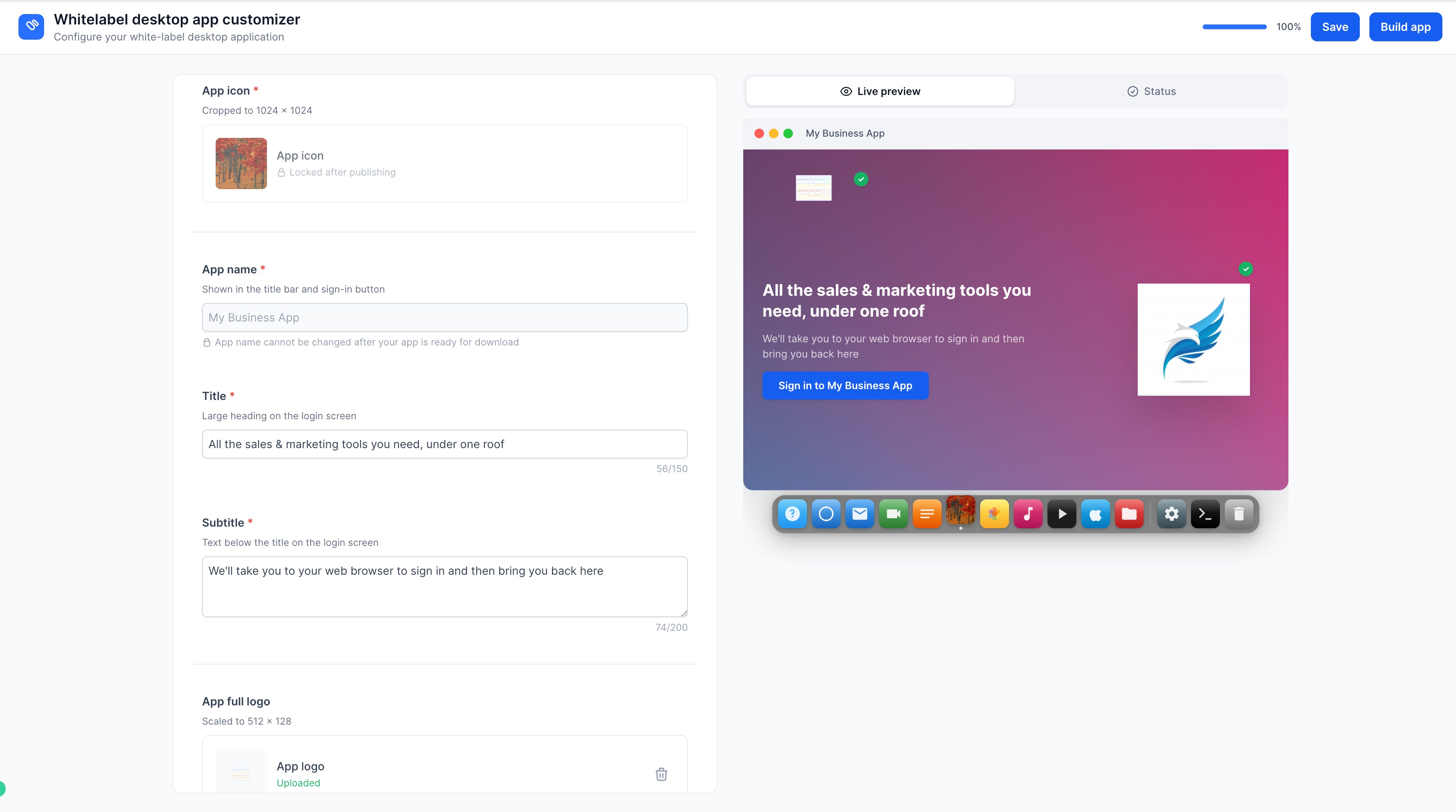
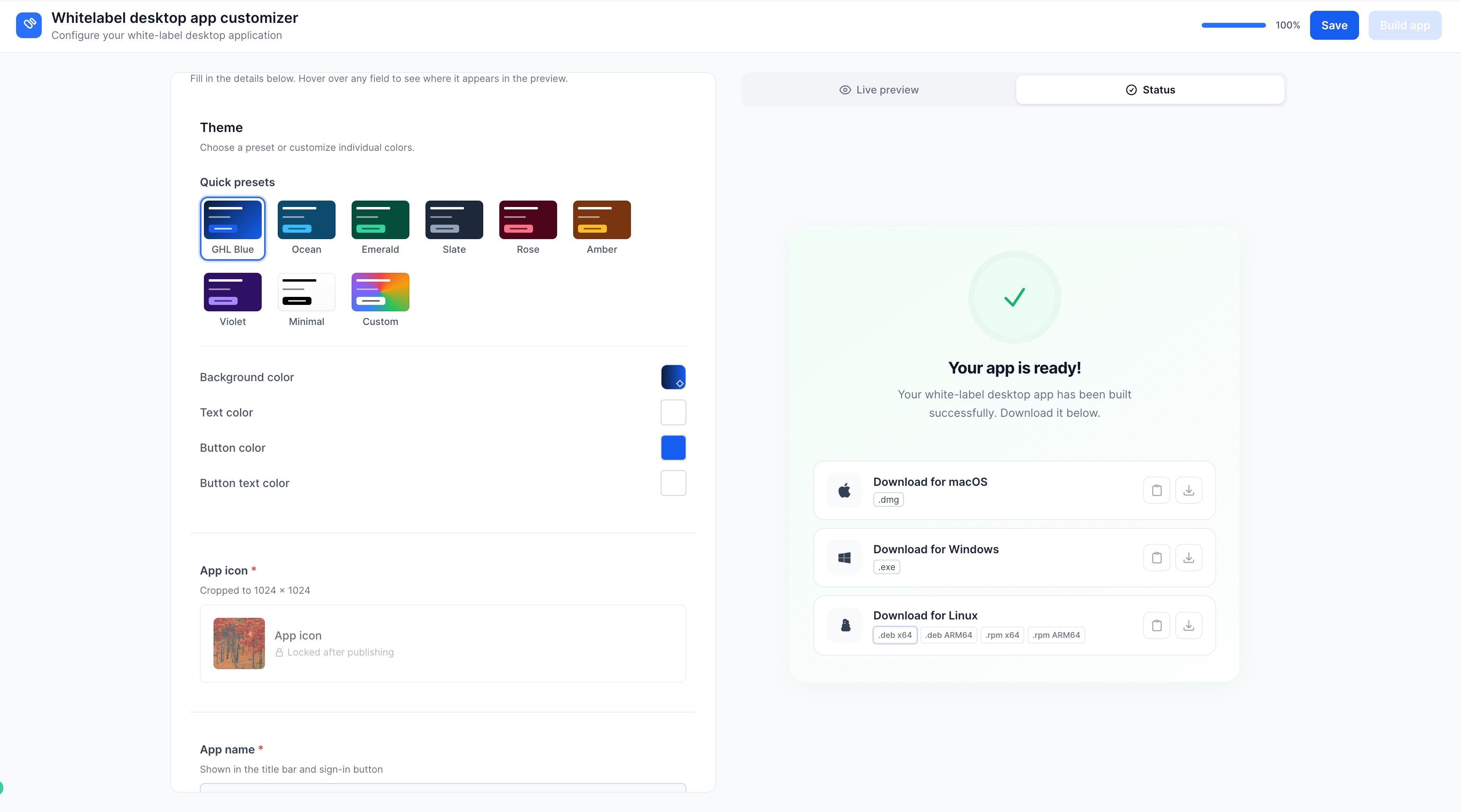
, available under the Desktop App tab in the Account Launchpad. You now have full control over your app's look and feel, including:- Theme– Select from preset themes or create a fully custom one
- App Icon– Set an icon that represents your brand
- App Name– Define how your app appears to users
- Background Image– Upload a custom background for a personalized touch
- Placeholder Images– Add additional visuals to enhance the app's appearance
A
live preview
updates in real time as you make changes, so you can see exactly how your app will look before building. Once you trigger the Build App action, builds are automatically initiated and download links are generated upon completion.Getting started is simple:
- Navigate to your Dashboard
- Open the Desktop App tab, configure your customizations,
- Save, and submit your app for building.
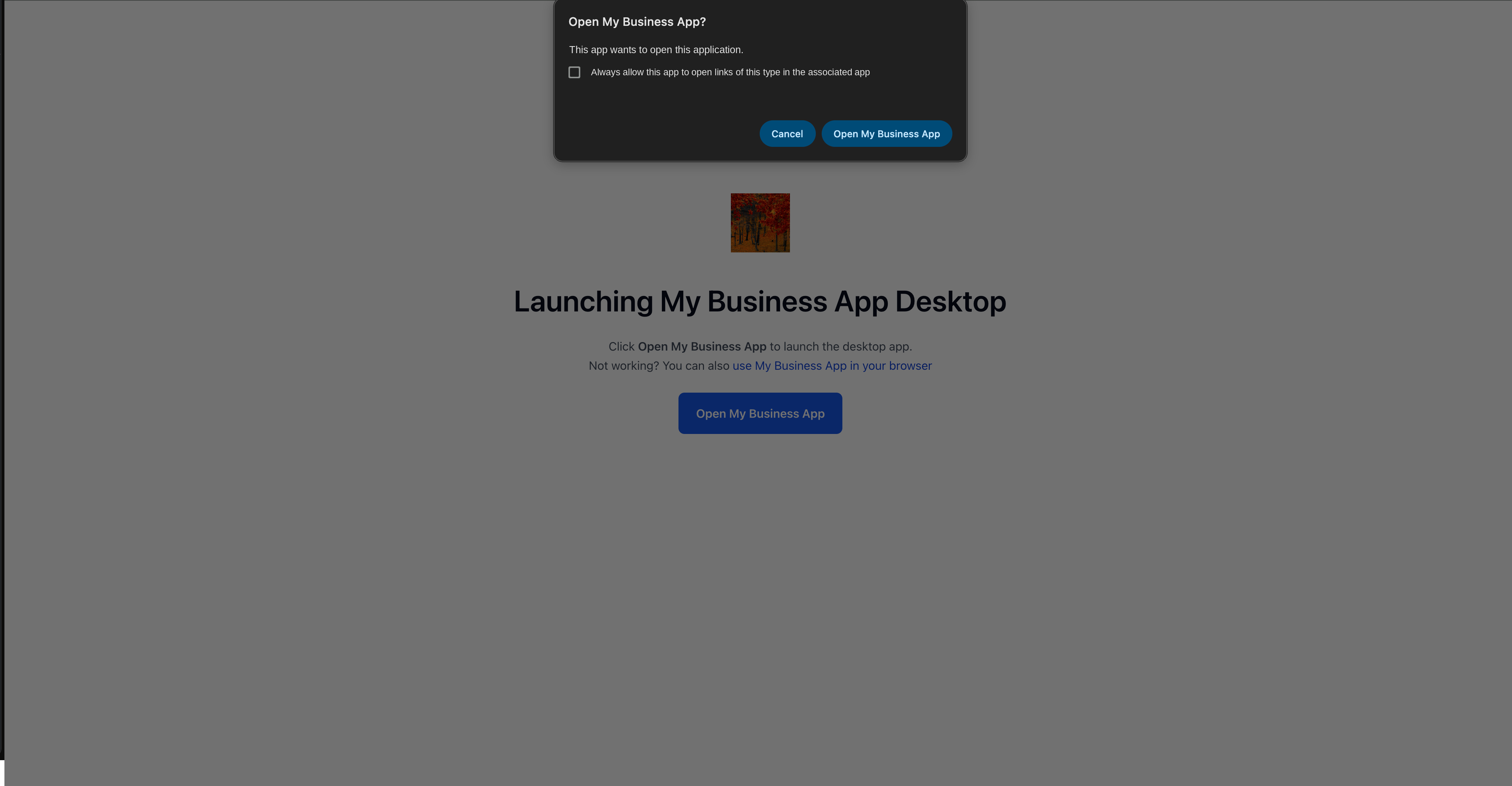
- Download the app or share access links directly with your customers.
Stay tuned for upcoming Mac App Store and Microsoft Store listings along with continued performance improvements.
Was this article helpful?
That’s Great!
Thank you for your feedback
Sorry! We couldn't be helpful
Thank you for your feedback
Feedback sent
We appreciate your effort and will try to fix the article